> ## Documentation Index
> Fetch the complete documentation index at: https://docs-dev-docs-5625.mintlify.site/llms.txt
> Use this file to discover all available pages before exploring further.

> Learn how to configure your JWT Connection to sign, verify or decode JSON Web Tokens.

# JWT Vault Connection

## Configure your JWT Vault connection

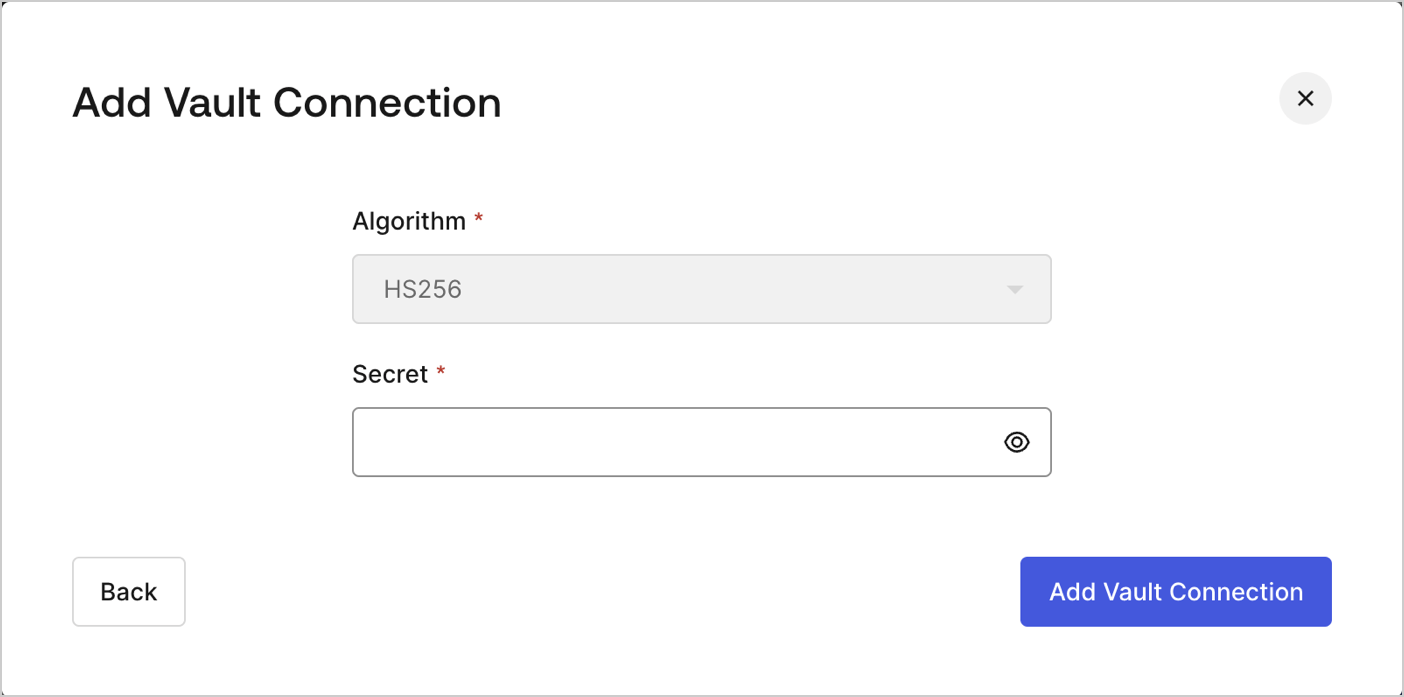
To configure an JWT Vault Connection for your Flows JWT Actions to sign, decode, and verify JSON Web Tokens, you need to set the required parameters.
<Frame>
  <img src="https://mintcdn.com/docs-dev-docs-5625/_MoHJ0t68o5uHYR4/docs/images/customize/forms/vaults/jwt-vault-connection.png?fit=max&auto=format&n=_MoHJ0t68o5uHYR4&q=85&s=07dd1d95da7d88e3f0c852c2b4786297" alt="Dashboard > Actions > Forms > Vault > JWT" data-og-width="1404" width="1404" data-og-height="697" height="697" data-path="docs/images/customize/forms/vaults/jwt-vault-connection.png" data-optimize="true" data-opv="3" srcset="https://mintcdn.com/docs-dev-docs-5625/_MoHJ0t68o5uHYR4/docs/images/customize/forms/vaults/jwt-vault-connection.png?w=280&fit=max&auto=format&n=_MoHJ0t68o5uHYR4&q=85&s=eac24e17498725a2b11395f7dc7907eb 280w, https://mintcdn.com/docs-dev-docs-5625/_MoHJ0t68o5uHYR4/docs/images/customize/forms/vaults/jwt-vault-connection.png?w=560&fit=max&auto=format&n=_MoHJ0t68o5uHYR4&q=85&s=6d637111dff05ea94721920686f298a8 560w, https://mintcdn.com/docs-dev-docs-5625/_MoHJ0t68o5uHYR4/docs/images/customize/forms/vaults/jwt-vault-connection.png?w=840&fit=max&auto=format&n=_MoHJ0t68o5uHYR4&q=85&s=d776e5dcdc37947e154050c8b5f70f0a 840w, https://mintcdn.com/docs-dev-docs-5625/_MoHJ0t68o5uHYR4/docs/images/customize/forms/vaults/jwt-vault-connection.png?w=1100&fit=max&auto=format&n=_MoHJ0t68o5uHYR4&q=85&s=8ead6be7a97486c9c87fcafb16553cb3 1100w, https://mintcdn.com/docs-dev-docs-5625/_MoHJ0t68o5uHYR4/docs/images/customize/forms/vaults/jwt-vault-connection.png?w=1650&fit=max&auto=format&n=_MoHJ0t68o5uHYR4&q=85&s=cd3b7294d7895d2490fe4442a5280c19 1650w, https://mintcdn.com/docs-dev-docs-5625/_MoHJ0t68o5uHYR4/docs/images/customize/forms/vaults/jwt-vault-connection.png?w=2500&fit=max&auto=format&n=_MoHJ0t68o5uHYR4&q=85&s=3f1ea2886cf52a33afe020efb07cc0b5 2500w" />
</Frame>

## Input settings

| Parameter | Description                                                 |
| --------- | ----------------------------------------------------------- |
| Secret    | Secret to be used in the HS256 algorithm to encode the JWT. |
